Interactive demo · Changes are private and temporary. Create your workspace
Loading home
Lattuce
FeaturesCatalogsCloud todayPlansFAQ ↗
Open Lattuce ↗

Where knowledge grows

Stop keeping your papers, your reading, and your notes in different apps.

Lattuce is a cloud studio for academic writing, grounded reading, language learning, and notes — at lattuce.app today. Self-host is on the roadmap; we will announce it on the blog.

Explore the studio →See plans

No account needed to look around.

Lattuce Writer with sources beside the paper writing canvas.

The studio

Writer, Learner, Notes, and Study — plus the catalog that feeds them.

Writer, Learner, Notes, and Study are the four products most researchers live in — the screenshots below are from the real studio. Library, Operations, and Projects keep the catalog, pipeline, and long-running work organized behind the scenes.

Writer

Draft papers with sources grounded in your library, then export a fully cited DOCX the moment you're ready to submit.
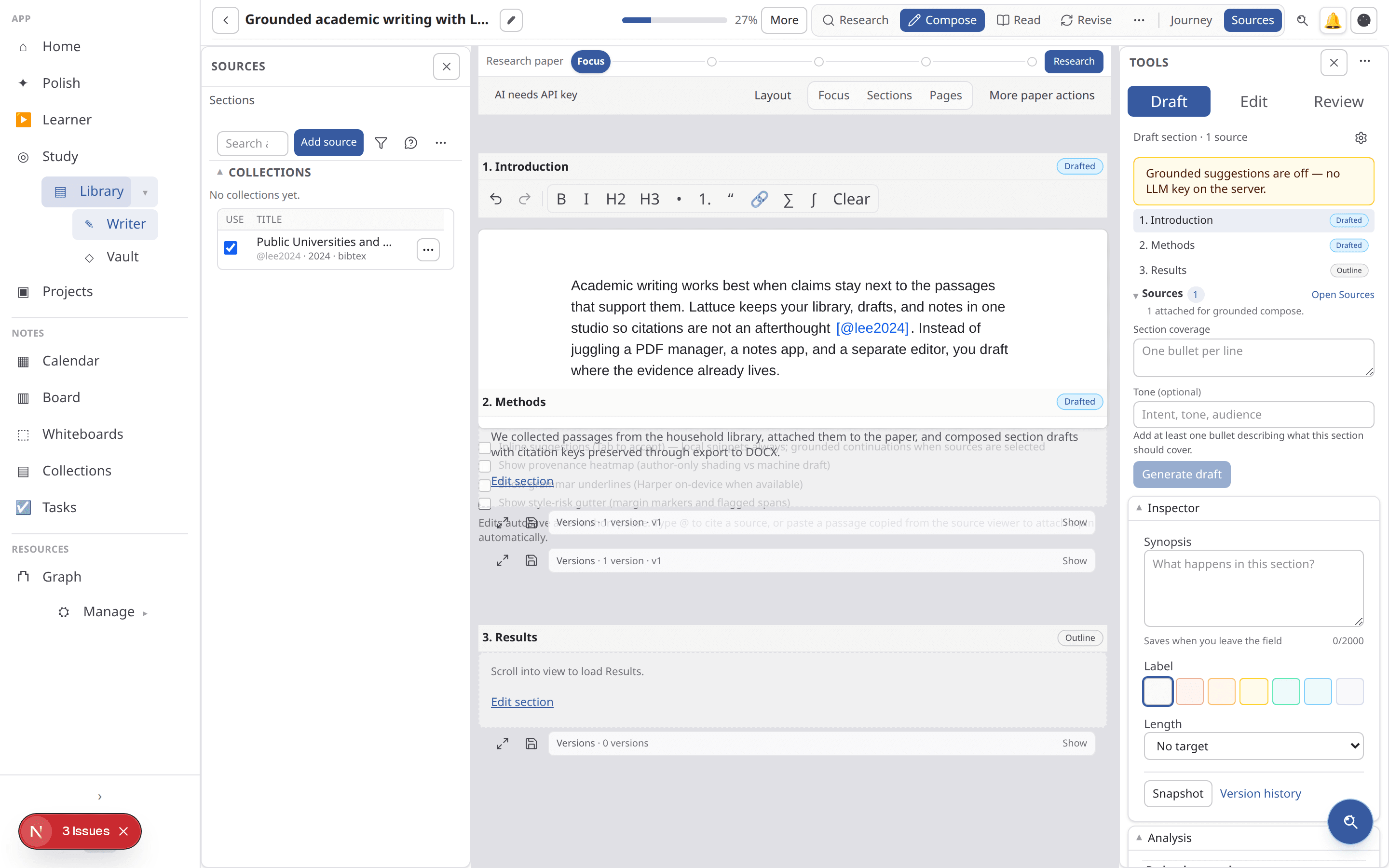
Lattuce Writer with sources beside the paper writing canvas.

Library

Upload PDFs or pull papers and books from open catalogs, then ground every claim in an actual passage instead of a half-remembered quote.
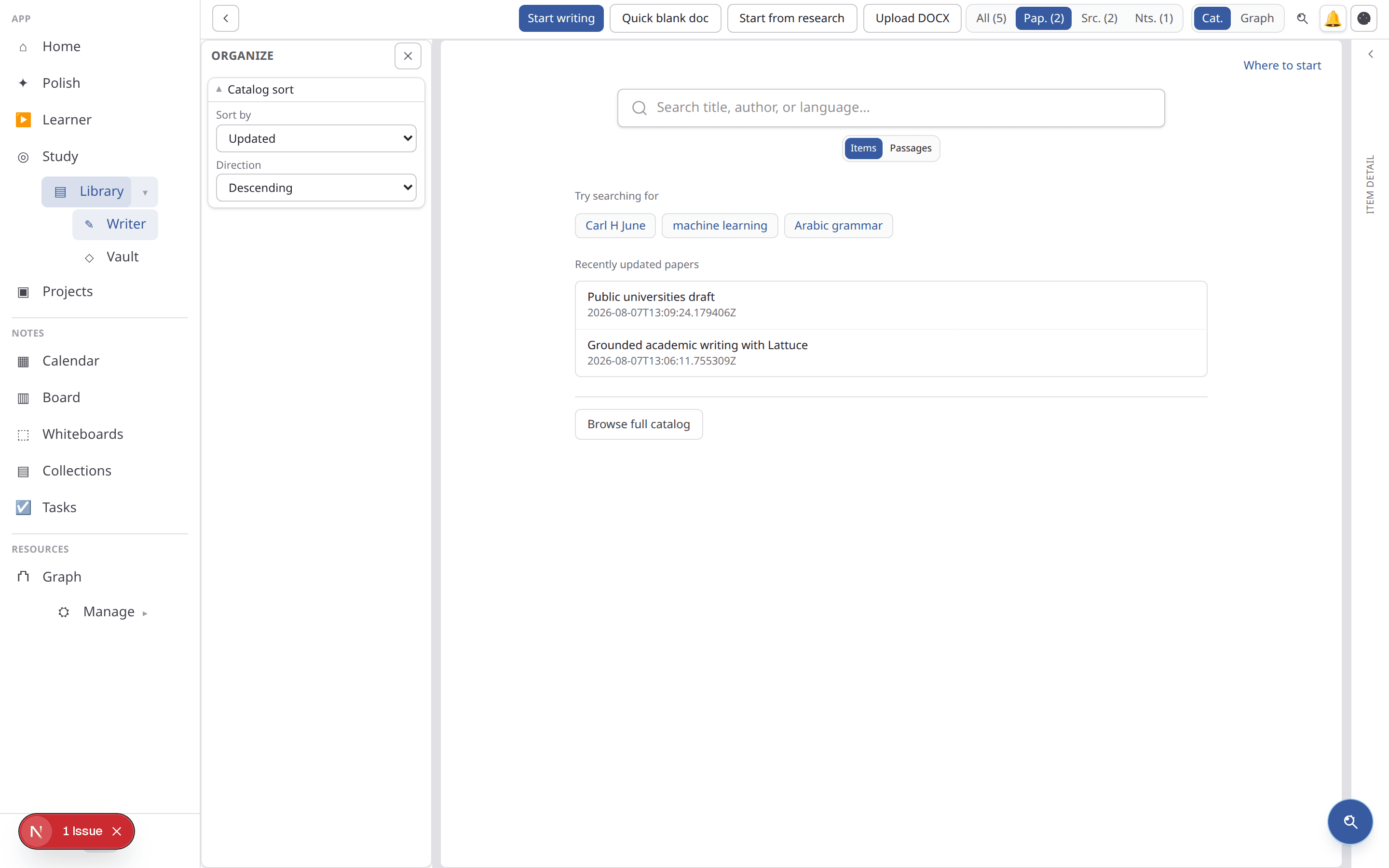
Lattuce Library catalog with papers and search.

Notes

A vault for ideas, plus the tasks and calendar that keep the rest of the work on schedule.
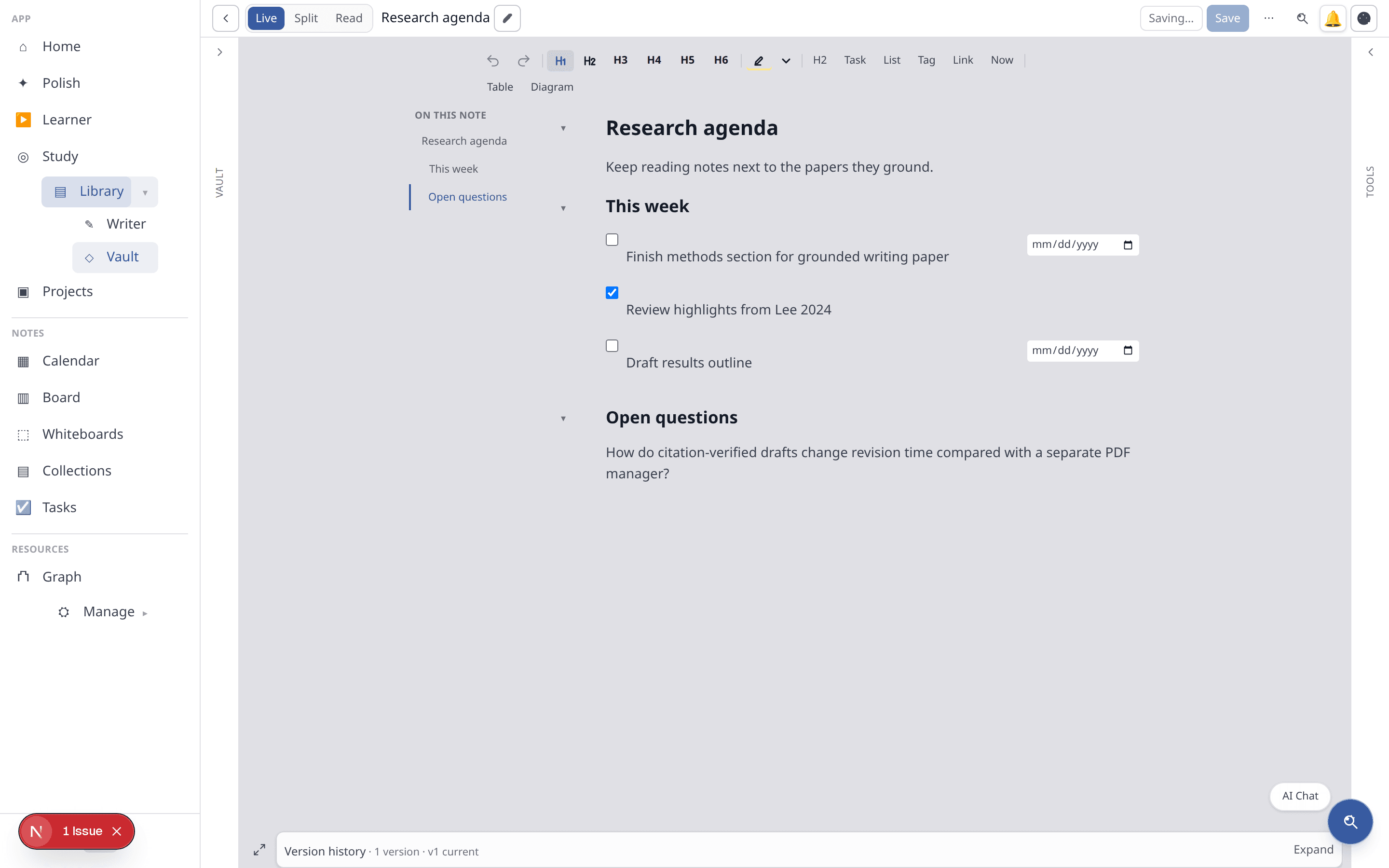
Lattuce Notes vault with a research agenda and tasks.

Study

Exam prep and grounded Q&A over your library courses — mock exams and revision tied to the sources you uploaded.

Learner

Language reading, vocabulary, and spaced repetition on lingo.lattuce.app — import text and review words when you are about to forget them.

Operations

Operator pipeline tools — import Weblate translation jobs and link them into Writer when you run a multilingual lab.

Projects

Group papers, sources, and notes under one roof for each piece of work — a single essay or a full thesis.

Catalogs

Sources you can pull from into your library.

Browse open scholarly catalogs, resolve open-access PDFs from a DOI, and open public-domain books — then cite and study them in the same studio. Links open each catalog's site in a new tab. Not partnerships or endorsements.

  • arXiv ↗PreprintsOpens in a new tab
  • OpenAlex ↗Topics & metadataOpens in a new tab
  • Project Gutenberg ↗Public-domain booksOpens in a new tab

Scholarly search

  • Semantic Scholar ↗ — Papers & citation graphOpens in a new tab
  • OSF Preprints ↗ — SocArXiv, PsyArXiv, and moreOpens in a new tab
  • Europe PMC ↗ — Life-sciences literatureOpens in a new tab
  • CORE ↗ — Open-access full textOpens in a new tab
  • Crossref ↗ — Scholarly metadataOpens in a new tab
  • Zenodo ↗ — Papers, data, softwareOpens in a new tab
  • bioRxiv ↗ — Biology preprintsOpens in a new tab
  • medRxiv ↗ — Health sciences preprintsOpens in a new tab
  • DOAJ ↗ — Open-access journalsOpens in a new tab
  • OpenAIRE ↗ — EU research graphOpens in a new tab
  • OAPEN ↗ — OA academic monographsOpens in a new tab
  • DOAB ↗ — OA book directoryOpens in a new tab
  • DPLA ↗ — US heritage — when your host enables itOpens in a new tab
  • Europeana ↗ — European heritage — when your host enables itOpens in a new tab
  • HathiTrust ↗ — ISBN lookup — when your host enables itOpens in a new tab
  • Chronicling America ↗ — US newspapers — when your host enables itOpens in a new tab

Resolve & open access

  • Crossref ↗ — DOI metadataOpens in a new tab
  • Unpaywall ↗ — Legal open-access PDF linksOpens in a new tab

Books

  • Project Gutenberg ↗ — Public-domain booksOpens in a new tab
  • Open Library ↗ — Book metadata & Internet Archive linksOpens in a new tab
  • Internet Archive ↗ — Scanned public-domain texts (details pages)Opens in a new tab

Language learning

  • Tatoeba ↗ — Example sentencesOpens in a new tab
  • Wikipedia ↗ — Articles to readOpens in a new tab
  • Wikisource ↗ — Free texts & excerptsOpens in a new tab
  • Wiktionary ↗ — Dictionary extractsOpens in a new tab
  • Leipzig Wortschatz ↗ — Corpus sentence samplesOpens in a new tab

Also import a Zotero library or follow RSS feeds when you are signed in.

Cloud today

Use Lattuce at lattuce.app — self-host when we launch it.

Sign in at lattuce.app and work on papers, PDFs, notes, study, and language learning without installing anything. We are not offering a public self-host option yet — when we do, we will say so clearly on the blog and update this page.

Read where Lattuce runs today ↗
lattuce.app · Browser · Household account

Why one studio

You could stitch this together yourself.

Notion holds your notes. Something else holds your PDFs. A third app runs your flashcards. Lattuce keeps the citations, the drafts, the vocabulary, and the notes connected.

The usual stackOne studio, with Lattuce
A notes app for ideasNotes — vault, tasks, and calendar
A separate PDF or citation managerLibrary — PDFs grounded to citations
A third app for flashcardsLearner — vocabulary & reading SRS · Study — exam prep over your sources
Data wherever each vendor puts itCloud at lattuce.app — one household account across Writer, Library, and Notes

Plans & pricing

Plans, billed per household.

One subscription covers everyone in your household. Start solo, then add members as your studio grows.

Starter

For one.

  • 1 member
  • Writer papers and notes
  • Study, projects, tasks, whiteboards, calendar, timelines
  • Polish scratch pad
  • Learner audio generation and import

ProMost popular

For a small household.

  • Up to 4 members
  • Everything in Starter
  • AI missions
  • Team sharing
  • Share links
  • Learner audio

Advanced

For the whole household.

  • Up to 10 members
  • Everything in Pro
  • Realtime collaboration
  • Priority support
Compare plans in full ↗

See where your research could grow.

No account needed to explore Writer, Library, Learner, and the rest. Sign in only when you're ready to save your work.

Explore Lattuce ↗Read the FAQ ↗
Lattuce

Lattuce

Where knowledge grows

TermsPrivacyCookiesRefundsFAQContact

© Lattuce