Lattuce tutorial · Writer
Notebook research workflow in Writer
Turn a Jupyter notebook into a traceable Writer research bundle and use it to draft an evidence-aware abstract.
Turn a Jupyter notebook (plus optional slides and paper PDFs) into a grounded extended abstract or paper draft in Writer.
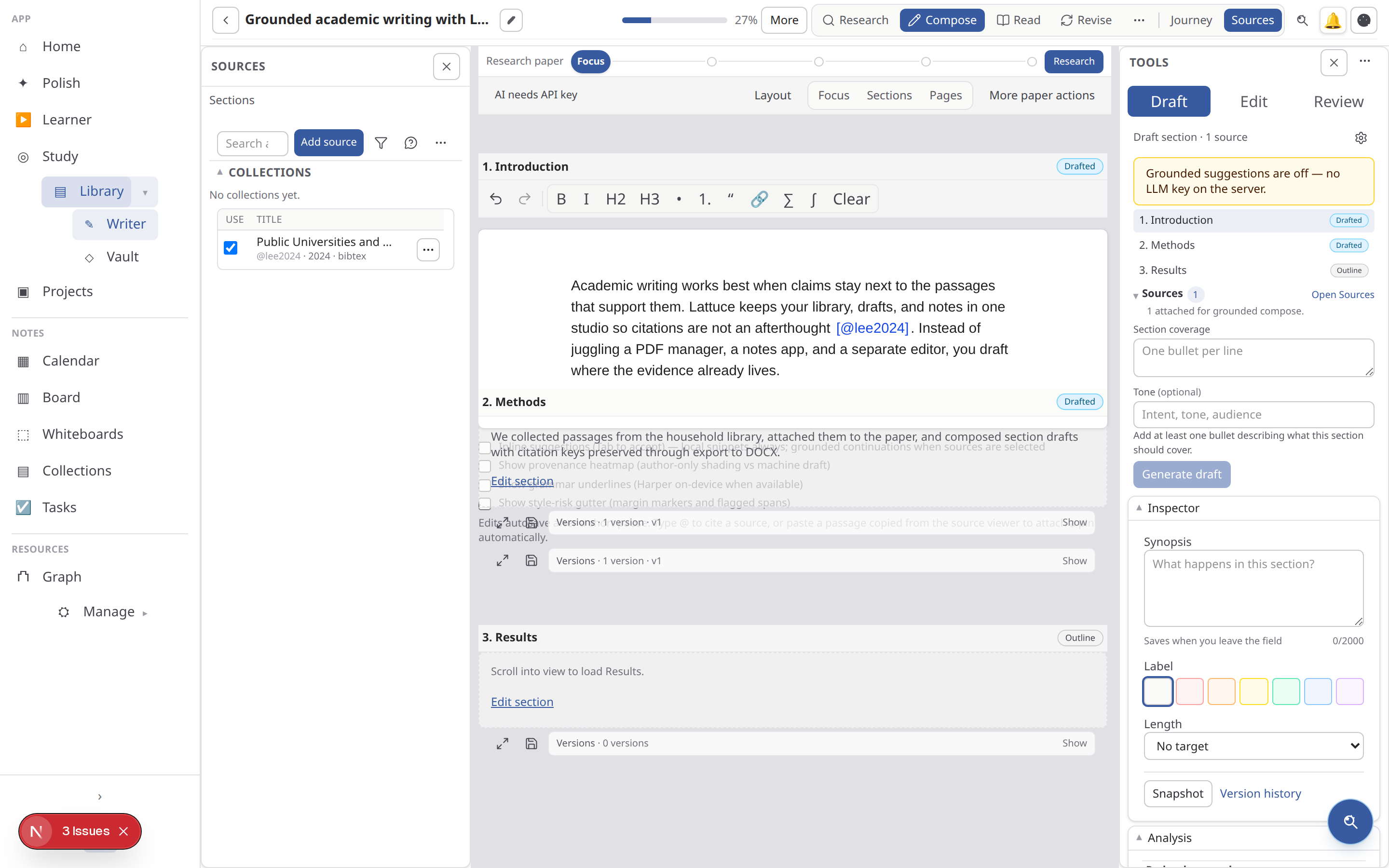
The notebook is evidence for structure and results, not automatically a publication-ready citation. Use the bundle to preserve the experiment trail, then attach the papers or datasets that support claims you plan to publish.
Prepare the notebook first
- Restart or clear cells that contain secrets, tokens, private paths, or customer data.
- Give major markdown headings a stable structure such as Question, Method, Results, and Limitations.
- Keep important figures embedded as PNG outputs or export them alongside the notebook.
- Add reference PDFs when the notebook cites prior work; notebook text alone will not create a bibliographic entry.
Quick path: research bundle
- Open New paper (
/papers/new). - Under Research bundle (notebook → paper), enter title and slug.
- Upload your
.ipynb(required). - Optionally add slide PDFs/PPTX or reference paper PDFs.
- Click Create paper and upload bundle — you land on Compose with sources attached.
Uses the Notebook then paper journey template.
Upload presets
| Preset | File types | Behavior |
|---|---|---|
research_notebook | .ipynb | Tags notebook/research, seeds outline from markdown headings |
lecture_slides | PDF or PPTX slide export | Slide chunk profile, tags slides/lecture |
On a paper Sources upload, pass upload_preset=research_notebook or upload_preset=lecture_slides as a query parameter (same as the lecture slides hub).
Journey handoffs
After sources are ready, open the paper Journey strip:
| Handoff | When |
|---|---|
| Create topic from notebook | Seeds a research brief from notebook title/sections |
| Seed outline from notebook | Sections from markdown # headings in cells |
| Use extended abstract outline | Abstract (short) + Introduction, Methods, Results, Discussion (~4 pages) |
| Draft sections from sources | Grounded Compose for sections without drafts, using attached sources and target lengths |
Mirror talk-deck handoffs (seed_topic_from_talk, seed_outline_from_talk) but for notebook sources.
Research brief Draft sections from synthesis uses the same LLM Compose path with per-section target lengths when synthesis is ready.
What gets ingested from .ipynb
| Included | Notes |
|---|---|
| Markdown and code cell source | Searchable text with cell markers |
| Cell stdout / text outputs | Scrubbed secrets, size-capped |
image/png plot outputs | Registered as source figures when present |
| Cell execution state | Not run — read-only ingest |
Export notebook plots as PNG/PDF if they are not embedded in cell outputs.
Compose and length
- Section target length presets: Short (~½ page), Medium (~1 page), Long (~2 pages).
- Extended abstract outline sets Abstract →
short, body sections → medium/long. - Watch ~N pages in focused write status bar while drafting.
- Without ready attached sources, Compose shows a stylistic only banner — attach sources before exporting cited work.
- Notebooks and slide decks ground Compose (facts and structure) but are not bibliographic citations. Only reference paper PDFs and other citable sources appear in
[@source_key]markers and the exported bibliography. When only notebook/slides are attached, drafts may be labeled grounding only. - Journey Draft sections from sources runs a lightweight advisory audit → humanize loop (heuristic detector + stronger humanize on notebook-only bundles).
Slides without PDF export
Upload PPTX directly with the lecture slides preset (native text extract per slide). PDF export remains the most reliable path for complex decks.
Check the bundle after upload
Open Sources and confirm the notebook, slide deck, and reference PDFs each have the expected tags and reach ready. Then inspect the seeded outline before drafting. If headings are missing, move structure into markdown cells and re-upload; if figures are missing, export them as separate PNG/PDF files and attach them explicitly.
If the draft sounds plausible but has no citations, check whether the bundle contains citable paper PDFs and whether they are attached to the paper. A notebook can ground a factual draft without being a valid bibliography source.
Not the translation path
- Upload DOCX on
/papers/newand pipeline import go to Translate (Weblate), not authored Compose. - Authored writing stays on Write / Compose with the research bundle or journey handoffs above.
Related
Browse more in Writer or return to all tutorials.