Learn languages by reading — getting started with Lingo by Lattuce
Learn languages by reading real texts on lingo.lattuce.app — import articles and books, save words as you read, and review with spaced repetition.
For in-app help, ask the product assistant about The Learner library (help doc learner-library).
Lingo is Lattuce’s language-learning app: read news, books, and subtitles in a foreign language, tap words to save them, and review vocabulary on a schedule that helps you remember. Many households use it at lingo.lattuce.app.
This guide is for language learners — not for exam prep from course PDFs. If you need to study your uploaded materials for an exam, use Study instead (Study vs Learner).
Who this is for
| You want to… | Lingo fits when… |
|---|---|
| Learn a language by reading | You read articles, books, or dialogue in the language you are learning |
| Remember new words | You want reminders to review vocabulary, not just a one-time read |
| Keep research and language study together | Your household already uses Lattuce for writing or notes |
| Keep reading history at lattuce.app | You prefer cloud-hosted tools over a subscription reader app |
Lingo is not a general tutor for history, law, or medicine exams. For “teach me from my course PDFs,” use Study or Revise on a paper.
Before you start
| You need | Notes |
|---|---|
| Access to Lingo | lingo.lattuce.app or Learn on your Lattuce site |
| Sign-in | Usually the same Google account as Writer, when your admin set that up |
| Something to read | A foreign-language article, book file, or graded library title |
| Optional: AI for rich word meanings | Your admin can add an API key; basic vocabulary saving works without it |
Lingo focuses on learning foreign languages. English leisure books can open in read-only mode when English is your native language.
Your first session (about 10 minutes)
- Open Learn (or visit lingo.lattuce.app).
- Import — paste a web article link, upload a book, or pick something from the library.
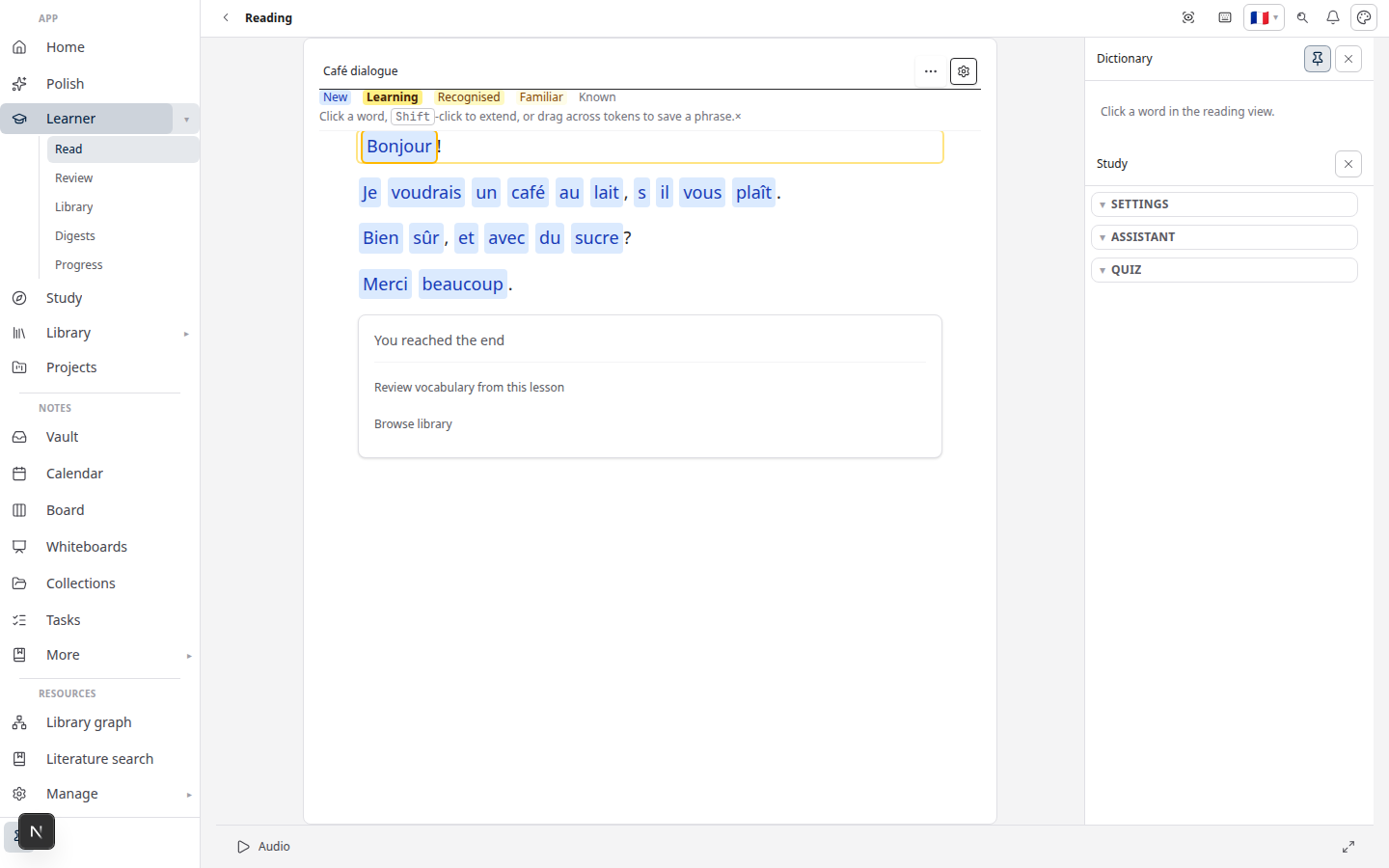
- Read — open the text and tap or click words you want to learn.
- Review — when cards are due, open Review from the menu.
- Hub — resume where you left off and check your goals.
What you can do in the app
| Area | What it does |
|---|---|
| Learn home | Resume reading, set goals, start an import |
| Reader | Read with tap-to-define and optional audio |
| Review | Spaced repetition for saved words and fill-in-the-blank cards |
| Vocabulary | Your word list and learning status |
| Library | Books and imports on your shelf |
| Community | Browse or share texts (when your admin enables it) |
Writer, Library, and Notes can stay on your main site; Lingo can live on its own address so language learners land on a clear home page.
Similar apps — and how Lingo differs
Apps like vocabulary and browser readers offer tap-to-define reading. Lingo adds the same habit loop on lattuce.app, next to writing and research tools — not a separate subscription reader alone.
Compare in depth: Lingo vs vocabulary.
Related reading
- Study vs Learner — exam prep vs language learning
- Import guide — articles, books, YouTube, subtitles
- Vocabulary review — how Review scheduling works
- Run Lingo at lattuce.app — for household admins
Bahasa Melayu: Belajar bahasa dengan membaca — mula dengan Lingo
Subscribe: RSS — Language learning series · Atom