Lattuce tutorial · Study & Learner
The Learner library
Organize Learner material, read in context, save vocabulary, and turn imported content into language practice.
Learner is the language-learning workspace. It turns imported reading and listening material into comprehensible practice: read in context, look up words, save vocabulary, and review it over time.
The library is the handoff point between importing, reading, and review. Keep a small active shelf and archive material you are not ready to study; a focused shelf makes the next reading choice obvious.
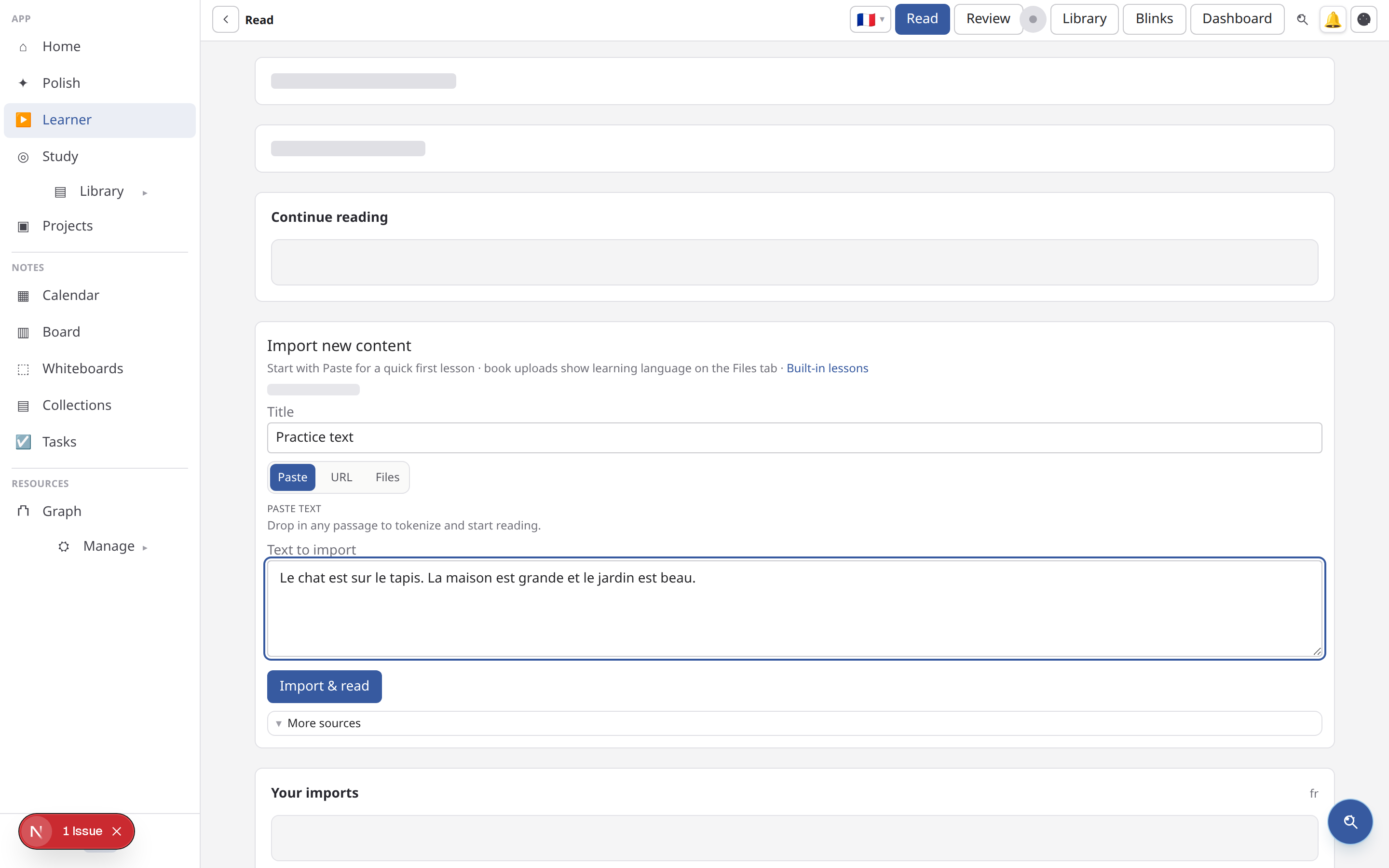
Find learning material
Open Learn (/learn) for the dashboard and import entry points. Your library can contain:
- text pasted into Learner;
- article or web-page URLs;
- EPUB and PDF books;
- YouTube or other supported media imports;
- built-in stories and public library material; and
- community or curated content when that lane is enabled.
Import only material you are allowed to use. A large source may take time to extract before it is available in the reader.
Filter before you search when the shelf is large. Start with language, then narrow by source type or recent activity. If an item is missing, check whether it was imported into Learner or only added to the general Library for research papers; those are different workflows.
Read in context
Open an item in Read (/learn/read/{contentId}). Select a word or phrase to see its definition and context, then save it when it is worth reviewing. The reader keeps the original passage visible so a definition does not replace the meaning you are trying to infer.
Set the language before saving vocabulary. A selection should include enough surrounding text to explain the word’s sense, but not an entire paragraph. For a long book, finish one chapter or section at a time and use Continue reading to resume.
Use content-specific tools when available:
- Timeline follows long-form reading in sequence.
- Digests turn eligible content into audio or study artifacts.
- Media groups listening-oriented material.
- Stories provides short-form reading paths.
Build vocabulary
Open Vocabulary to inspect saved words, their source contexts, and review state. Save fewer, useful words rather than every unfamiliar token. Revisit the original sentence before marking a word as known.
When a saved card is too easy, leave it in the deck and let the interval grow. When it is ambiguous, edit or suspend it. Review quality depends on the source sentence and your recall signal more than on the number of cards in the library.
Review and practice
Review (/learn/review) presents due vocabulary cards using spaced repetition. Cloze (/learn/cloze) tests a word inside a sentence, which is useful when recognition is easier than recall. Keep a steady review habit; the queue is more effective when ratings reflect how difficult the answer actually felt.
Learner progress and goals live separately from Writer’s grounded Study workspace. For exam or subject-matter revision over your own PDFs, use Study and Revise instead.
A weekly shelf routine
- Import one or two sources that match your current target language.
- Read actively and save a small set of words or cloze prompts.
- Review due cards before adding another large source.
- Remove duplicates and archive finished or unsuitable material.
- Revisit a saved passage to reinforce vocabulary in context.
See Import content into Learner for source choices and Study in Learner for spaced repetition.
Grammar and kanji lanes
The Grammar and Kanji areas are focused practice surfaces. Kanji review can include radicals and a dedicated review queue. Use them when you want structured form practice in addition to reading and word review.
Goals and recommendations
Set a language goal from the Learner dashboard or settings. Recommendations use the material and progress available to your account; they are a starting point, not a replacement for choosing content that matches your level and interests.
Writer → Learner
When a Writer source or library item is useful for language practice, choose Learn. Writer sends the import payload server-side and opens the corresponding Learner reader. The browser does not need to carry a large extracted text blob between products.
If an item is missing
Check that the import finished, the content belongs to the active account, and you are looking in the correct lane: Library is a Writer source catalog, while Learner library is language-learning content. If definitions or review cards are unavailable, try a smaller source first and confirm the Learner service is healthy.
Related: Import content into Learner · Study in Learner · Learner getting started
Browse more in Study & Learner or return to all tutorials.