Citation style preview in Lattuce — compare APA, MLA, Chicago, and more before you export
Pick APA, MLA, Chicago, Harvard, or IEEE in Lattuce Writer, preview in-text and bibliography lines from your sources, and copy citations before export.
Graduate authors switch citation styles more often than they admit — one journal wants APA, the next wants Chicago author-date, and your thesis template still says Harvard. You should not have to export a full Word file just to see whether a bibliography line breaks.
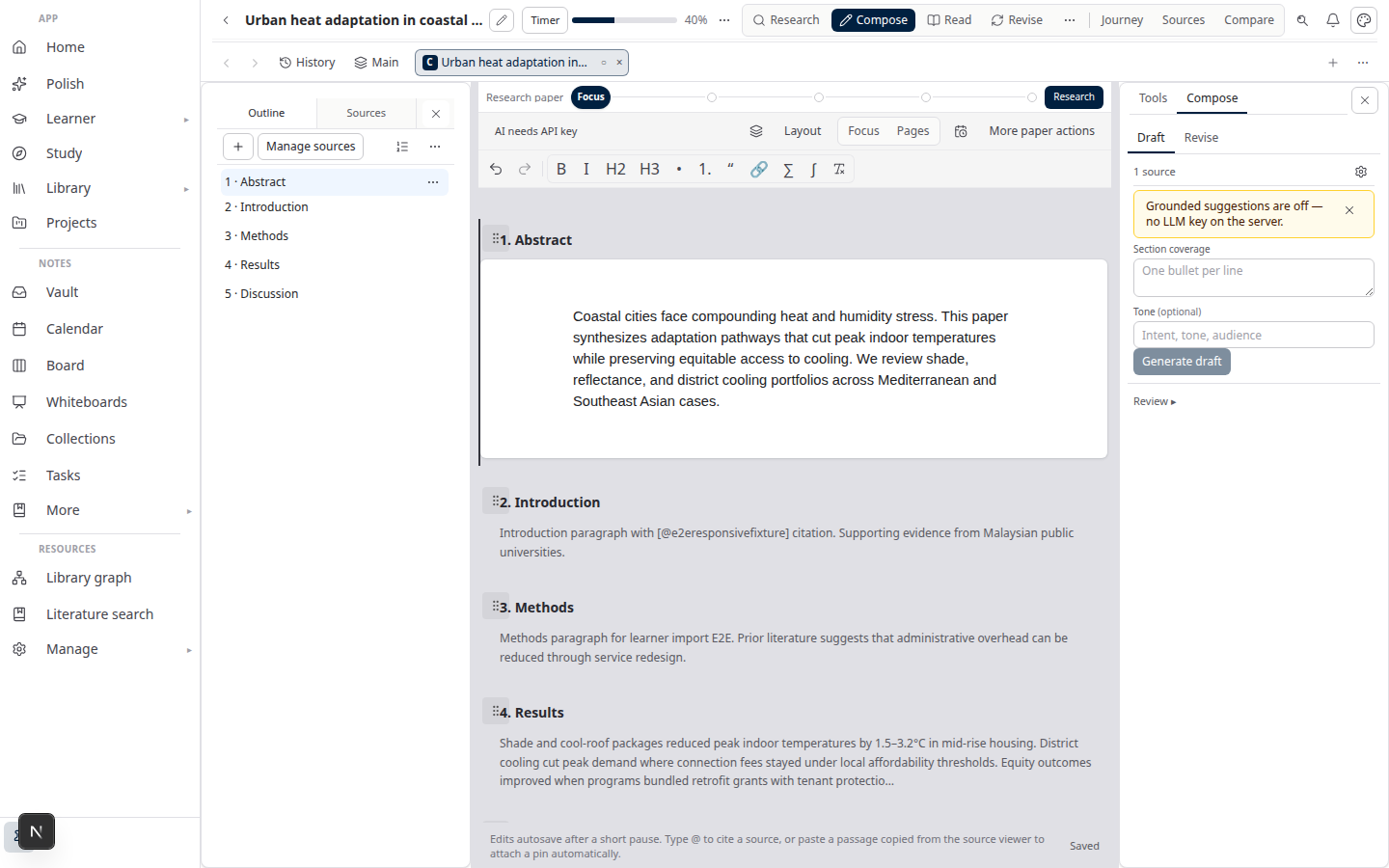
Lattuce Writer includes a citation style preview in the paper workspace: start from five common styles (or search the full catalog), see how a reference formats as both an in-text citation and a bibliography entry, and copy either string to your clipboard. When a source is selected or open in Details, the preview can prefill from that source’s metadata — including edits you have not saved yet.
Who this is for
| You are… | Preview helps when… |
|---|---|
| Thesis or article author | You need to compare APA vs MLA vs Chicago before locking a style for export |
| Co-author on a bilingual paper | You want to sanity-check bibliography punctuation without re-running export |
| Lab admin | You are standardizing how a group cites — show formatted output before everyone pastes into Word |
This is a preview and picker inside Writer — not a replacement for Zotero or your graduate school’s final reference audit. Export and format-check flows still matter for submission (sources to DOCX, thesis format check).
Before you start
| You need | Notes |
|---|---|
| A paper project in Lattuce | Library → Papers → New paper (or open an existing project) |
| Writer workspace | Open Compose or Write for that paper |
| Optional: sources attached | Prefill works best when at least one source is selected for compose or open in Details |
No extra API keys are required for citation preview — formatting runs in your Lattuce account using standard Citation Style Language (CSL) definitions.
Supported styles (today)
Preview is easiest to learn on five common starters. The full Writer catalog is thirty curated styles — journals, publisher house styles, and law — listed in supported citation formats.
| Style | Typical use |
|---|---|
| APA 7th | Social sciences, many journals (paper default) |
| MLA 9th | Humanities, some conference papers |
| Chicago (author-date) | History, interdisciplinary work |
| Harvard | UK and Commonwealth theses |
| IEEE | Engineering — numeric in-text markers like [1] |
You set the paper-wide style from the references strip or export menu. The preview dialog lets you search and compare styles on the same metadata before you commit.
Open the preview
- Open your paper in Write.
- In the References strip at the bottom of the editor column (wide layouts), find the Citation style control.
- Click Preview next to the style dropdown.
On narrower layouts, the same control appears under More in the paper header menu.
The Citation style preview dialog opens with:
- A style list on the left (keyboard-friendly — arrow keys move between styles)
- Sample metadata fields you can edit (title, authors, year, journal, volume, DOI, and more)
- Live In-text citation and Bibliography entry panels
- Copy buttons for each formatted string
- Use this style to save the choice on your paper
Prefill from your sources
Preview is most useful when it reflects your library, not generic sample text.
Lattuce fills sample metadata in this order:
- Details editor — if you opened Manage sources → Details for a row, preview uses that source’s bibliographic fields. Unsaved edits in Details count — you can tweak metadata and immediately see how APA vs MLA would render.
- Selected source in the sources table — if Details is closed, the first source you marked Use while composing supplies metadata.
- Built-in sample — if neither applies, a neutral example entry appears so you can still compare styles.
A short line under the dialog title tells you which path was used (for example, “Prefilled from Details editor (includes unsaved edits)”).
Important: edits inside the preview dialog are for preview only. They do not change your paper bibliography or saved source metadata. Save metadata in Details when you want the library record updated.
Set your paper’s citation style
Two paths:
| Action | Result |
|---|---|
| Change the dropdown next to Preview | Saves immediately on the paper |
| Click Use this style in the preview dialog | Saves the style you were previewing and closes the dialog |
The References list at the bottom of Write reformats cited entries using the active style. You can Download .bib from the same strip when you need a BibTeX handoff (Zotero workflow).
Where styles apply in the pipeline
| Stage | What the style affects |
|---|---|
| In-text markers in Compose | Citation chips and [@key] markers resolve using the paper style |
| Live References strip | Formatted bibliography lines for sources you have cited |
| Export to Word | Reference section in the exported document follows the paper style |
Preview does not run citation verification (whether a claim matches a source). That stays in Compose’s grounded writing flow (literature review guide).
Tips
- Open Details before Preview when you are cleaning DOI, journal, or page fields — see formatting update as you type.
- Compare IEEE vs author-date on the same book chapter metadata — numeric vs
(Author, Year)changes are obvious in one dialog. - Copy bibliography lines into email or supervisor comments without exporting.
- Pick style early — switching after fifty citations is fine in Lattuce, but your external Word template may still need a manual pass.
What preview does not do
- Replace Zotero or Mendeley — import and sync still live in your reference manager; Lattuce formats what is in your paper library.
- Guarantee journal-specific nuance — CSL covers common rules; edge cases (special issues, ahead-of-print) may need a human edit before submission.
- Edit cited prose — preview formats metadata; it does not rewrite your section drafts.
Related reading
- Supported citation formats in Lattuce — full catalog of thirty curated styles
- Try Lattuce without signup — open Writer and test citation preview on a demo paper
- Literature review with Lattuce — research and writing with real references
- Sources to DOCX — export path after you lock a style
- Thesis format check — layout pass after citations are stable
Bottom line
Citation style preview lets you see formatted output before you commit — copy-ready strings and prefill from the source you are already editing, starting with five common styles. The full catalog lists all thirty curated formats. Pick the style that matches your target venue, cite in Compose with confidence, and export when the bibliography looks right.