Literature review with Lattuce — from search to a cited Word file
Find papers, synthesize with reviewable evidence, write with citation checks, and export a cited literature review from Lattuce.
For in-app help, ask the product assistant about Literature review with real references (help doc writer-research).
A literature review should end as a cited manuscript — not a chat transcript and a pile of PDFs. Lattuce is the research-and-writing layer for that job: find papers, synthesize with evidence you can review, draft with citation checks, and export Word.
This guide covers literature research end to end: catalog browse, automated discovery, a related-paper graph, then a Literature review mission, Compose, Write, and a bibliography tied to your library. New to Lattuce? Start at Getting started or try Writer without signup.
Who this is for
| You are… | You want… |
|---|---|
| Thesis or article author | A cited literature review you can export to Word, not a one-off summary |
| PI or supervisor skimming tools | One account that goes from search → evidence → draft, without a Notion-style wiki |
| Lab member with a reading pile | Upload PDFs you already have, then synthesize and write against those sources |
| Someone starting from a topic | Discovery that proposes papers you approve before anyone drafts prose |
Lattuce is not an org-wide Notion replacement, and it does not real-time co-edit paper sections. Keep your team wiki where it is. Use Lattuce when the work must become a cited review.
If you need corpus-scale systematic review (screening hundreds of hits, PRISMA-style audit trails), start with Elicit vs Lattuce — Elicit still wins that job. Bring the shortlist here to write.
Before you start
| You need | Notes |
|---|---|
| A Lattuce account | Sign in at lattuce.app, or try without signup on a demo paper |
| A manuscript | Library → Manuscripts → New manuscript (or open an existing manuscript) |
| Sources, or a topic | Path A: PDFs or Word files that show ready. Path B: a research question and time to approve suggested papers |
| AI features (optional) | Add your own AI keys in account settings when you want automated discovery or synthesis |
| Optional Zotero | Sync or rich-import from Library → References → Add references. Opt-in API write-back pushes bibliographic metadata (ZOTERO_WRITEBACK=1); .bib export remains available |
Lattuce runs in the cloud today. For what is available now and upcoming apps, see where you can use Lattuce. This guide stays on the author path.
Three ways to do literature research
Literature research in Lattuce has three search surfaces. They look related; they do different jobs.
| Surface | Where | What it does | When to use it |
|---|---|---|---|
| Literature search | Explore → Literature search | Google Scholar–style browse across OpenAlex, arXiv, Semantic Scholar, OSF, Europe PMC, and Gutenberg. Import, Attach, or Explore related — you triage; no mission starts | You want to scan catalogs yourself and pick rows |
| Quick search (discovery mission) | Paper Research workspace | Starts a discovery mission: multi-round automated search plus approvals. Optional ingest can fetch open-access PDFs | You have a topic and want the system to propose a reading list |
| Explore literature | From a seed paper (DOI or Semantic Scholar id) | Connected Papers–style related-paper graph, plus Prior / Derivative lists. Import or attach from the graph | You have one good paper and need the neighborhood around it |
Library → Graph is different. That graph is the topology of sources you already own. Explore literature is discovery from a seed, not a map of your library.
Manual catalog browse never starts a mission. Quick search always does. Use browse when you want control; use a mission when you want a structured job you can pause and approve.
Path A — You already have PDFs
Best when you have roughly 10–20 sources (or a folder you trust) and need a review written against those files.
- Library — upload PDFs or Word files. Wait until each source shows ready.
- Open your paper and attach those sources in the left pane.
- Research → Missions — start a Literature review mission. It synthesizes attached, ready sources into a synthesis report and an evidence matrix.
- Review the report. Download export.md / export.bib if you want a handoff outside Lattuce.
- Compose from synthesis → Write → approve sections → Export to Word.
You can still open Explore literature on a strong source if the pile has a hole. That is optional; Path A does not require a discovery mission.
Path B — You have a topic and few PDFs
Best when the question is clear and the library is thin.
- Open the paper’s Research workspace.
- Brainstorm: Topic → Clarify → Catalog check → Research plan. Use Ask or Challenge on the plan if you want to pressure-test scope before spending a mission.
- Run Quick search (a discovery mission). Approve sources the mission suggests. Optional ingest pulls open-access PDFs when they exist.
- When attached sources are ready, run a Literature review mission for synthesis and the evidence matrix.
- Compose from synthesis → Write → approve sections → Export to Word.
Approvals matter. Discovery finds candidates; you decide what enters the review. Synthesis only runs over sources you attached and that are ready.
A hybrid is normal: browse Literature search, attach a few rows, then run discovery to fill gaps — or seed Explore literature from a DOI you already trust.
After synthesis: write, check citations, export Word
Missions stop at reviewable evidence. They do not silently become your chapter.
| Stage | What you do |
|---|---|
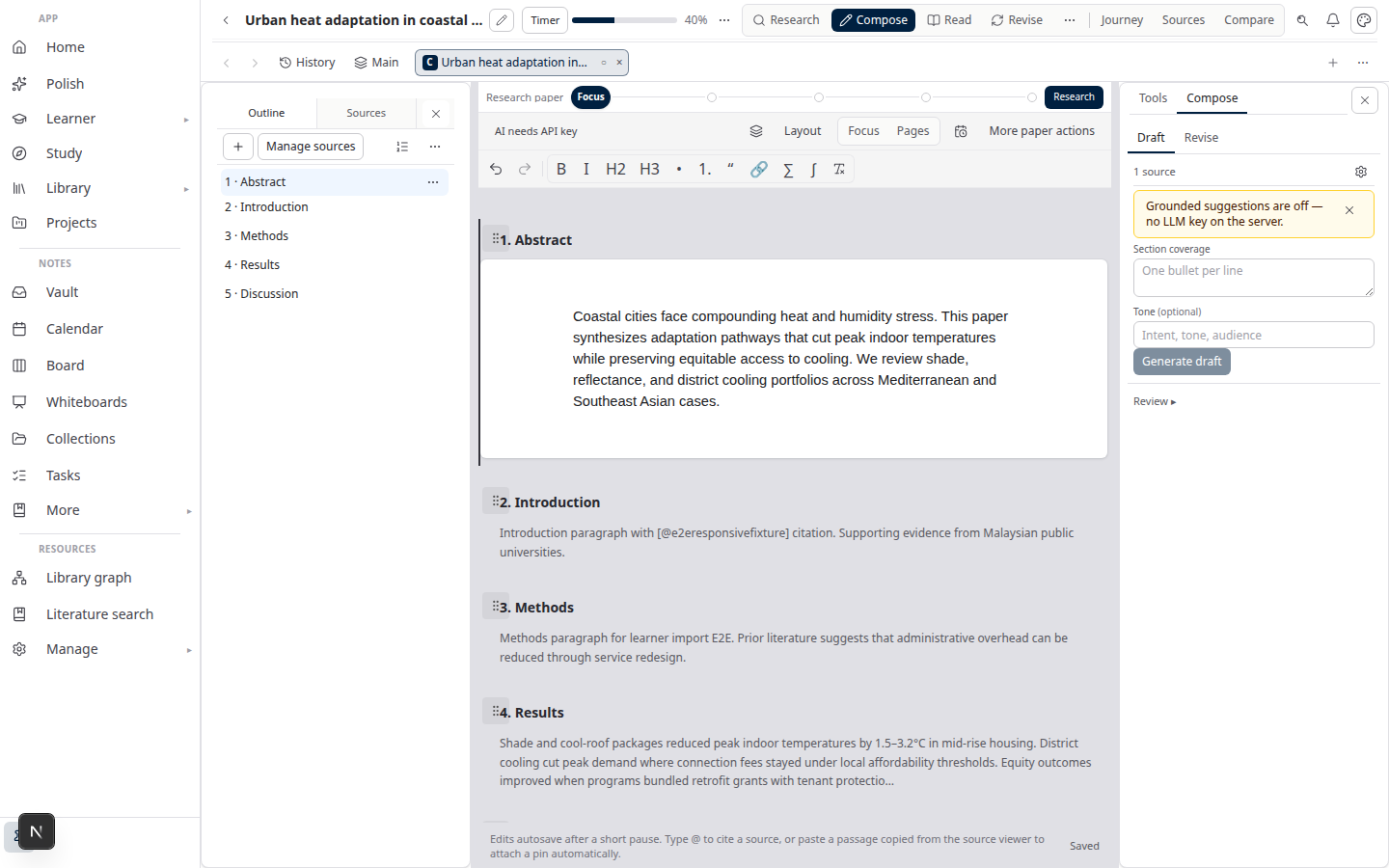
| Compose from synthesis | Turn the mission report into section drafts grounded in attached sources |
| Write | Edit prose. Writer checks claims against attached sources before you treat the draft as export-ready |
| Citation style | Pick APA, MLA, Chicago, Harvard, or IEEE and preview in-text plus bibliography lines — citation style preview |
| Section approval | Approve sections one at a time. Nothing ships to Word until you accept it |
| Export to Word | DOCX with a bibliography tied to your library, not invented citations |
Download .bib from the paper when you need a BibTeX handoff. If Zotero is your system of record, import or sync into Lattuce from Library References; keep using Zotero for the manager features Lattuce does not replace.
Labs that also translate chapters can use Lattuce’s collaborative translation workflow — useful, not required for a monolingual review.
Key concepts
Missions are structured jobs, not chat. A discovery mission (with optional open-access ingest) finds and fetches papers. A Literature review mission synthesizes attached ready sources into a report and evidence matrix. You review output before it becomes paper prose.
Citation checks compare claims to the sources on the paper. Problems show up in Compose / Write — the point is academic integrity, not a prettier summary.
Section approval → Word is the export gate. The DOCX bibliography follows the library records you attached, which is why “ready” sources and clean metadata matter.
Compared to other tools
| Tool | What it still wins | What Lattuce adds |
|---|---|---|
| Elicit | Corpus-scale search, screening, extraction tables, PRISMA-oriented systematic-review workflows | Your library + Discovery snapshots → Advanced dual-review screening → reviewable missions → citation-checked draft → Word |
| NotebookLM | Fast upload-and-chat digest, polished audio, zero pipeline | Digest is not the end: missions, citation checks, and a cited Word file. See NotebookLM vs Lattuce |
| Zotero + Word | Best-in-class reference manager, plugins, group libraries | Missions and writing in the same account; Zotero sync/rich import in; opt-in bibliographic write-back; .bib export |
| Notion | Team wiki, real-time co-edit, project databases | Research-and-writing on PDFs and papers — not a replacement for the lab wiki |
Bottom line on competitors: use Elicit (or Scholar) when the question is “what does the published record say at scale?” Use NotebookLM when you only need a quick digest. Use Zotero as the reference manager you already trust. Use Lattuce when the work must finish as a cited literature review you keep.
Hub view: Lattuce vs research apps.
Related reading
- Elicit vs Lattuce — literature search vs the writing pipeline
- Lattuce vs research apps — NotebookLM, Elicit, Heptabase, Obsidian, Notion
- NotebookLM vs Lattuce — digest vs cited manuscript
- Citation style preview — APA, MLA, Chicago, Harvard, IEEE before export
- Try Lattuce without signup — open Writer on a demo paper
- Where you can use Lattuce — cloud today; apps on the roadmap
- Getting started — sign in and pick a starting point
Bottom line
Literature research with Lattuce ends as a literature review you keep: browse catalogs or run discovery, grow a library you own, synthesize with an evidence matrix you can audit, then write with citation checks and export Word.
Pick Path A if the PDFs are already on disk. Pick Path B if you are still building the list. Use Literature search when you want to triage rows yourself; use a mission when you want structured discovery and synthesis; use Explore literature when one seed paper should open the graph around it.
Start at lattuce.app, create a paper, and either upload a few ready PDFs or run a catalog search. The review is done when approved sections export with a bibliography that matches your library.