Lattuce tutorial · Getting started
Getting started with Lattuce
Choose the right Lattuce workflow for academic writing, grounded study, language learning, notes, and research signals.
Lattuce combines Writer (academic writing), Study (exam prep over your sources), Learner (language study), and Notes (vault, calendar, tasks) in one app.
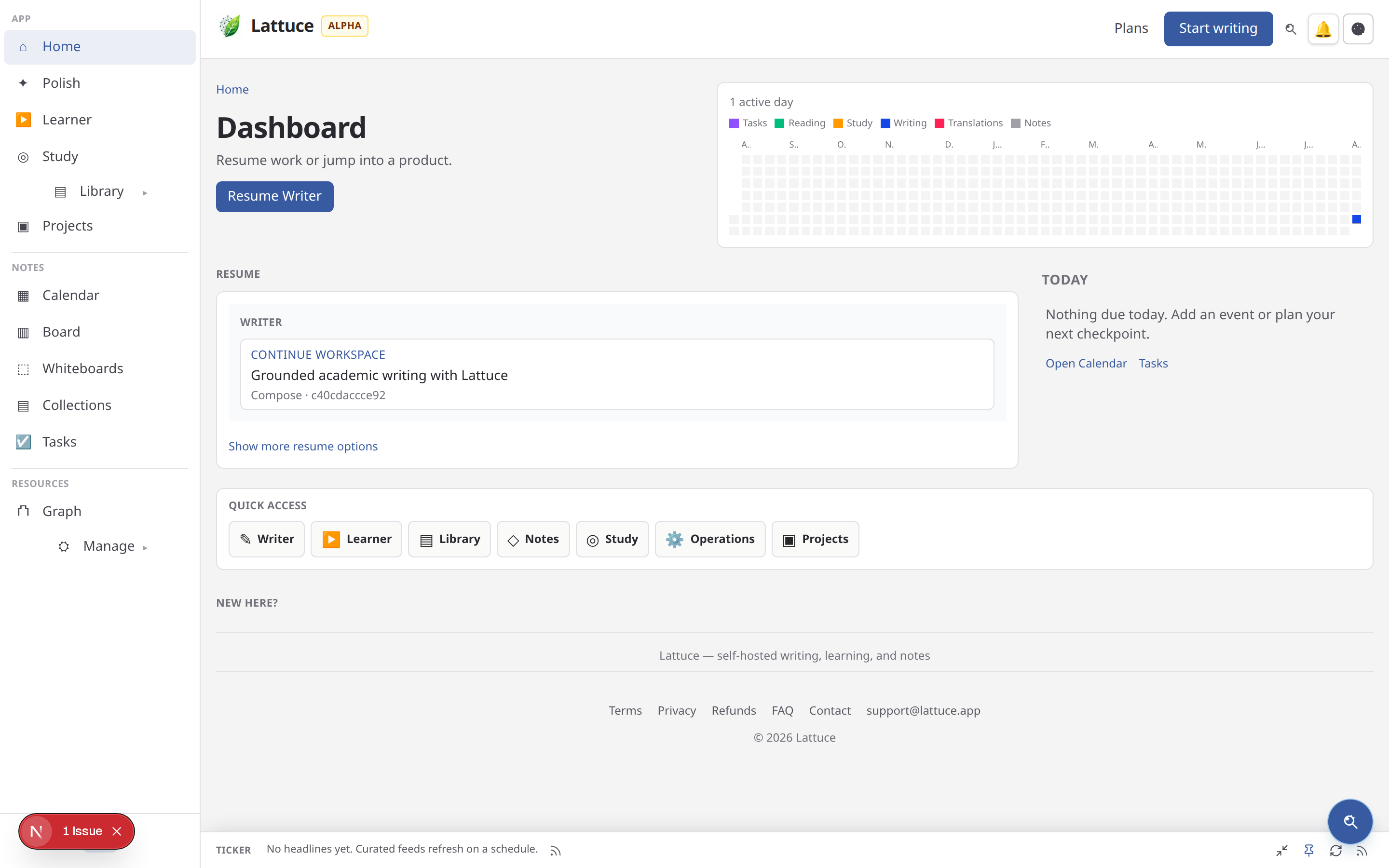
The fastest way to get oriented is to start with one small outcome: import one source, draft one section, read one language passage, or capture one note. Your home dashboard then keeps the next action visible through Resume and Quick access.
Choose your path
- Writer —
/papers— outline papers, attach sources, compose drafts, translate DOCX. For a grounded literature review, see Literature review with real references. From a Jupyter notebook to an extended abstract, see Notebook research workflow. - Study —
/study— library courses: grounded chat, exam prep, flashcards, and review (not the same as Learner). - Learner —
/learn— import text, articles, or books; spaced repetition and reading in a target language. - Notes —
/notes— markdown vault with wikilinks, graph, calendar, and board views.
There is no separate product named AI Tutor. For how Study compares to Heptabase AI Tutor, see Study vs Learner and Study and Revise.
Coming from other apps
| You used | Start here |
|---|---|
| NotebookLM | Library sources → Study chat; Digest this collection — NotebookLM vs Lattuce |
| Heptabase | Notes → Whiteboards + Guided study (/study/start) — Heptabase vs Lattuce |
| Obsidian | Notes vault, graph, offline shell — Obsidian vs Lattuce |
| Notion (team wiki) | Lattuce with Notion — complement for papers, not wiki replacement |
Full comparison: Lattuce vs research apps. More on the blog.
Workflow guides
- Where you can use Lattuce today
- Literature review with Lattuce
- Study vs Learner in Lattuce
- Collaborative translation with Weblate
Resume where you left off
The home page shows continue cards for your last Writer paper, Learner session, Library visit, or Notes activity.
A practical first session
- Open Home and choose a product from Quick access rather than opening several tabs at once.
- Complete one meaningful setup action: create a paper, import a reading, add a source, or create a note.
- Return to Home and confirm the new item appears under Resume.
- Add the next checkpoint to Notes Calendar or Tasks if the work continues beyond today.
The product guides below explain each path in detail. Use the topic menu on the tutorials and guides index to jump directly to a workflow.
Which product owns the work?
- Put claims, citations, manuscripts, and DOCX delivery in Writer.
- Put course materials, exam preparation, and grounded subject questions in Study.
- Put foreign-language reading and vocabulary review in Learner.
- Put working notes, links, tasks, and research planning in Notes.
- Put reusable papers and references in the Library catalog, then attach them to the product that uses them.
Browse more in Getting started or return to all tutorials.